Build the on-call roster,
automatically and fairly.
Collect everyone’s availability and generate a fair on-call roster in one tap. Use the same account on iPhone, iPad, or the web.
Does every monthly roster drain this much time and energy?
Everyone’s availability becomes
a ready-to-share roster.
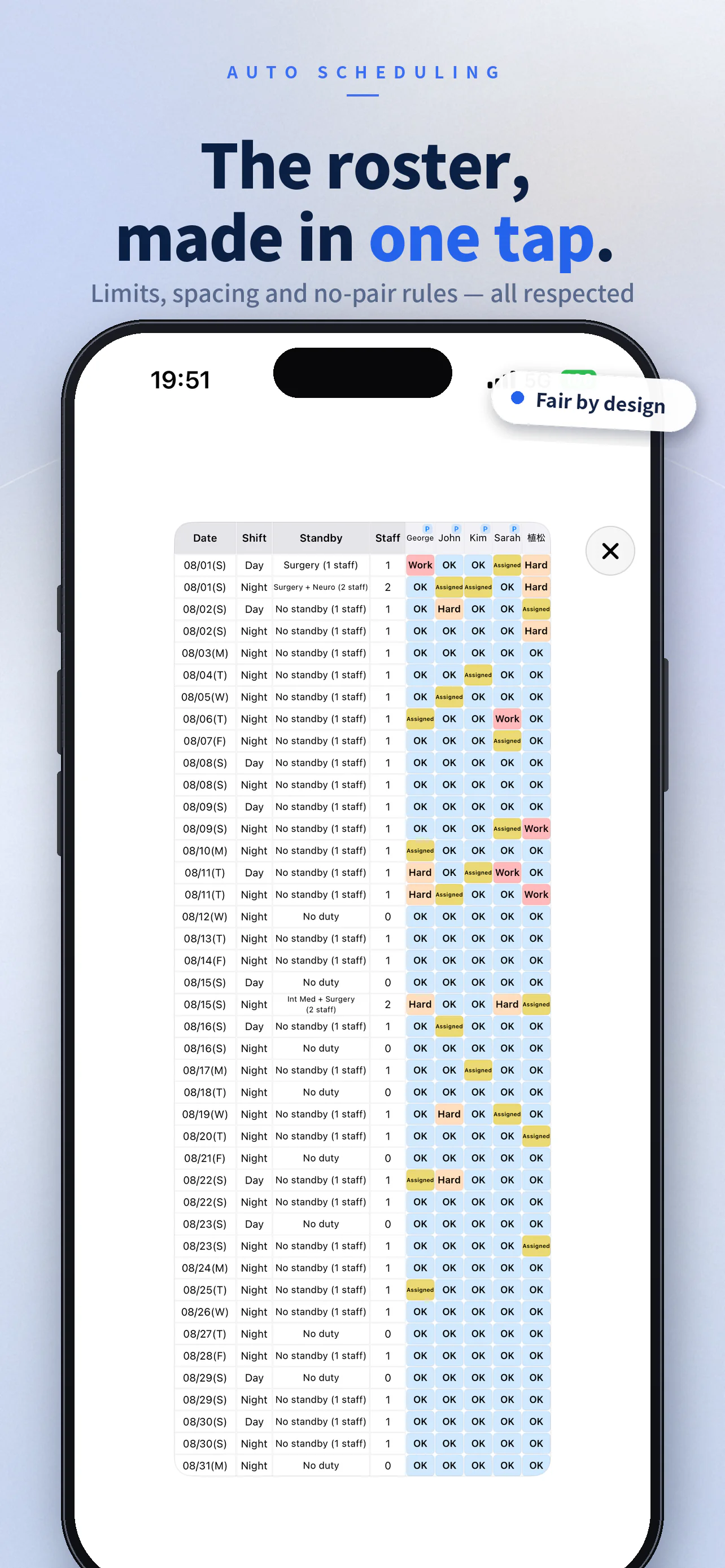
Once everyone submits Available, Preferred, Difficult, or Other duty, one tap assigns day and night call. The generator creates hundreds of candidates while enforcing weekly and monthly limits, minimum intervals, and incompatible pair rules, then selects the best roster by a fixed priority order.
- 1.Fill every required slot
- 2.Minimize assignments marked Difficult
- 3.Maximize Preferred assignments
- 4.Keep day-call and night-call count gaps within target
- 5.Keep point and pay gaps within target
Designed for the way on-call teams actually work.
Requests come in from every phone.
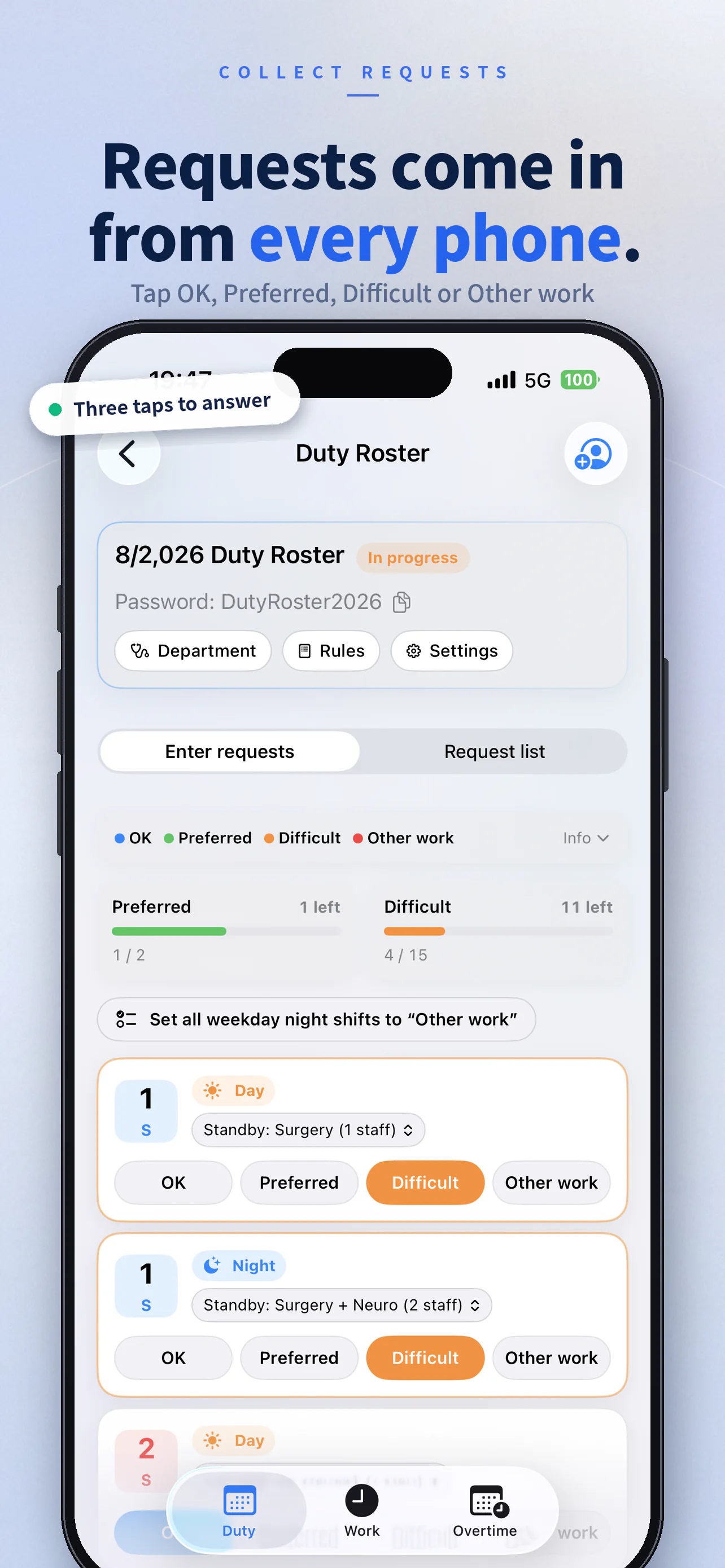
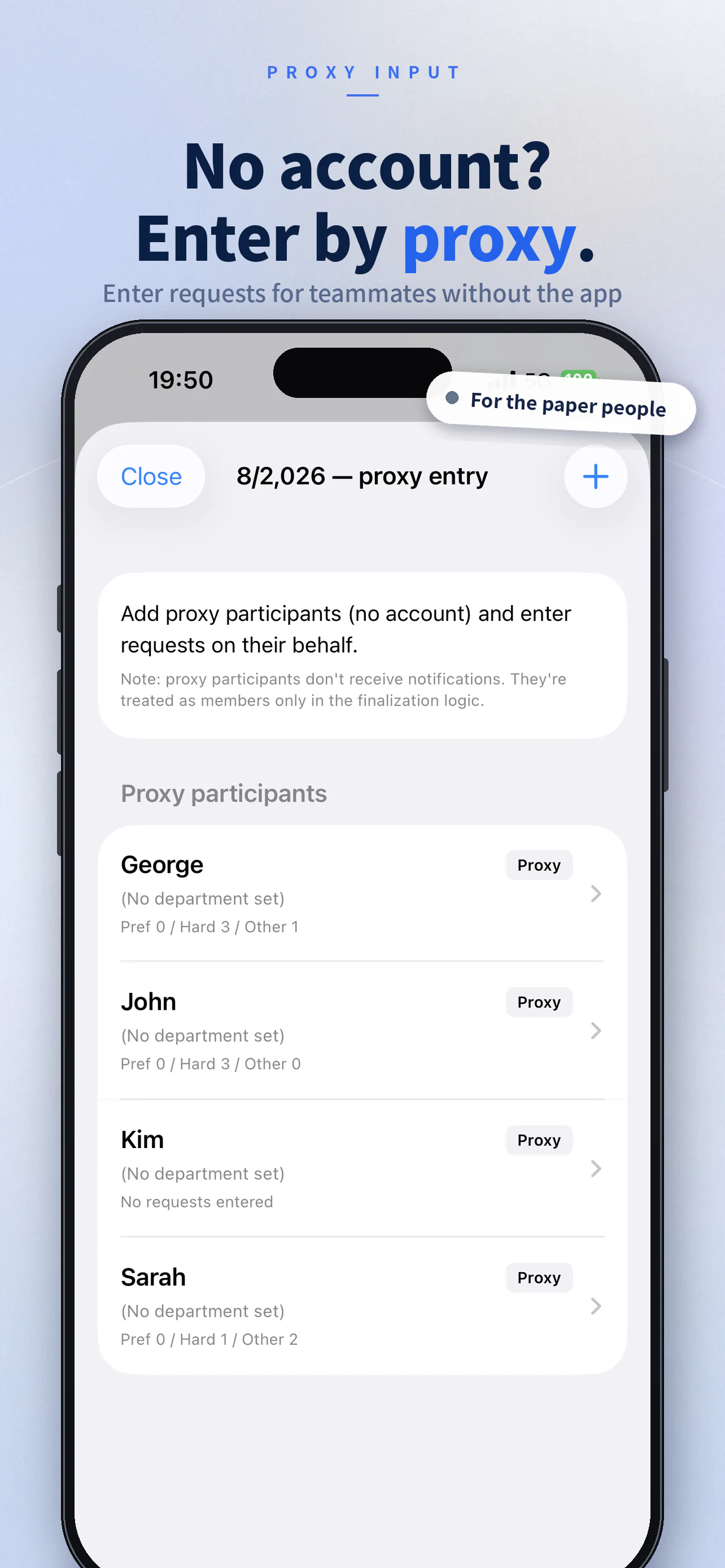
Share the room PIN and each member can submit Available, Preferred, Difficult, or Other duty from the iPhone app or a browser. Mark an immovable conflict as Other duty to exclude that slot. For clinicians who do not use the app, the organizer can add proxy participants and enter requests collected on paper or in chat.
- See remaining Preferred and Difficult selections on a simple gauge
- Cover colleagues without accounts through proxy entry
Balance pay as well as assignment counts.
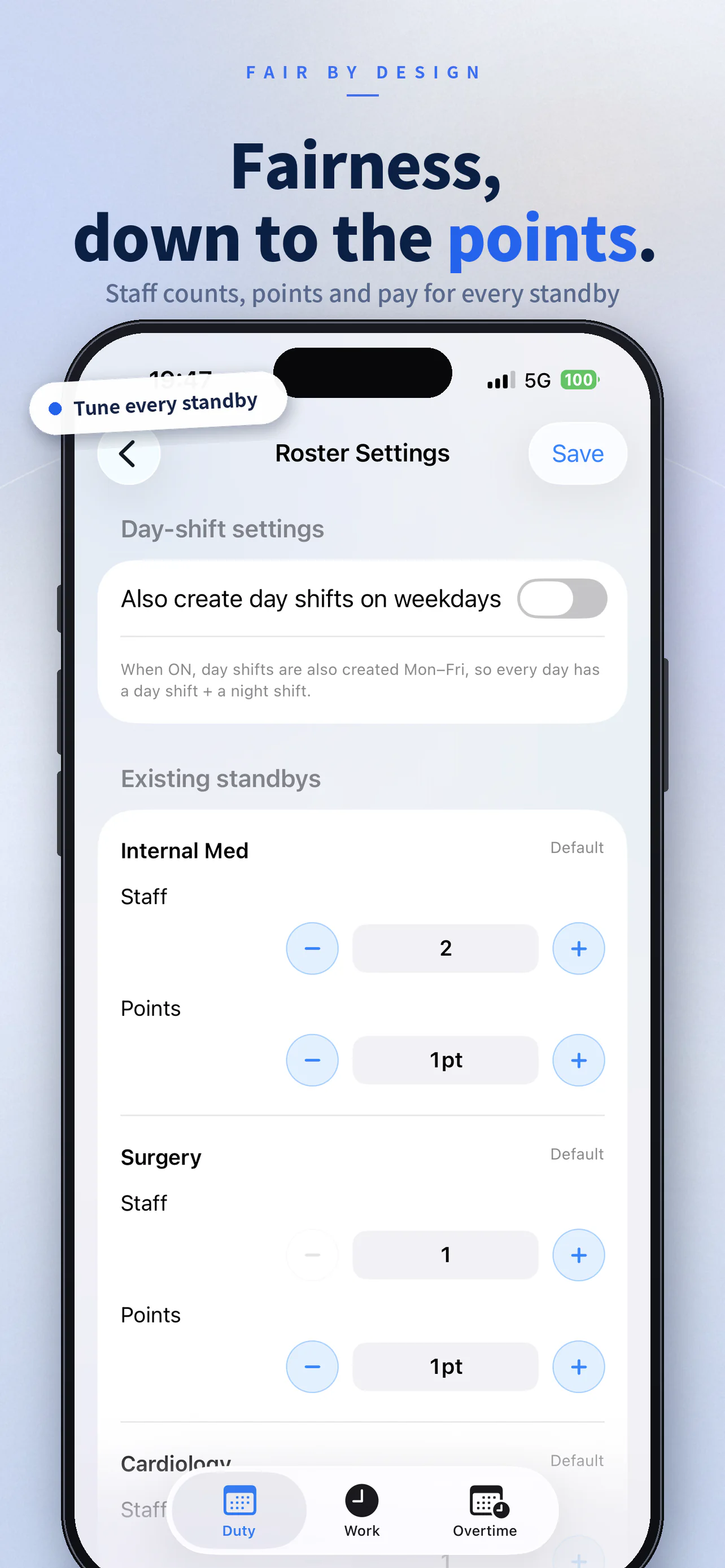
Equal assignment counts can still produce unequal pay when Fridays or pre-holiday shifts have higher rates. OnCall Generator calculates pay from the configured weekday, holiday, and duty-type rates, then optimizes the gap between the highest and lowest totals. For a holiday followed by a day off in the shared calendar, it applies Saturday rates; when the next day is a workday, it applies Sunday rates. Regional holidays and makeup workdays can be corrected day by day. The summary makes counts, points, and pay transparent to the whole room.
- Automatic pay calculations by weekday, holiday, and duty type
- Holiday followed by a day off uses Saturday rates; holiday followed by a workday uses Sunday rates
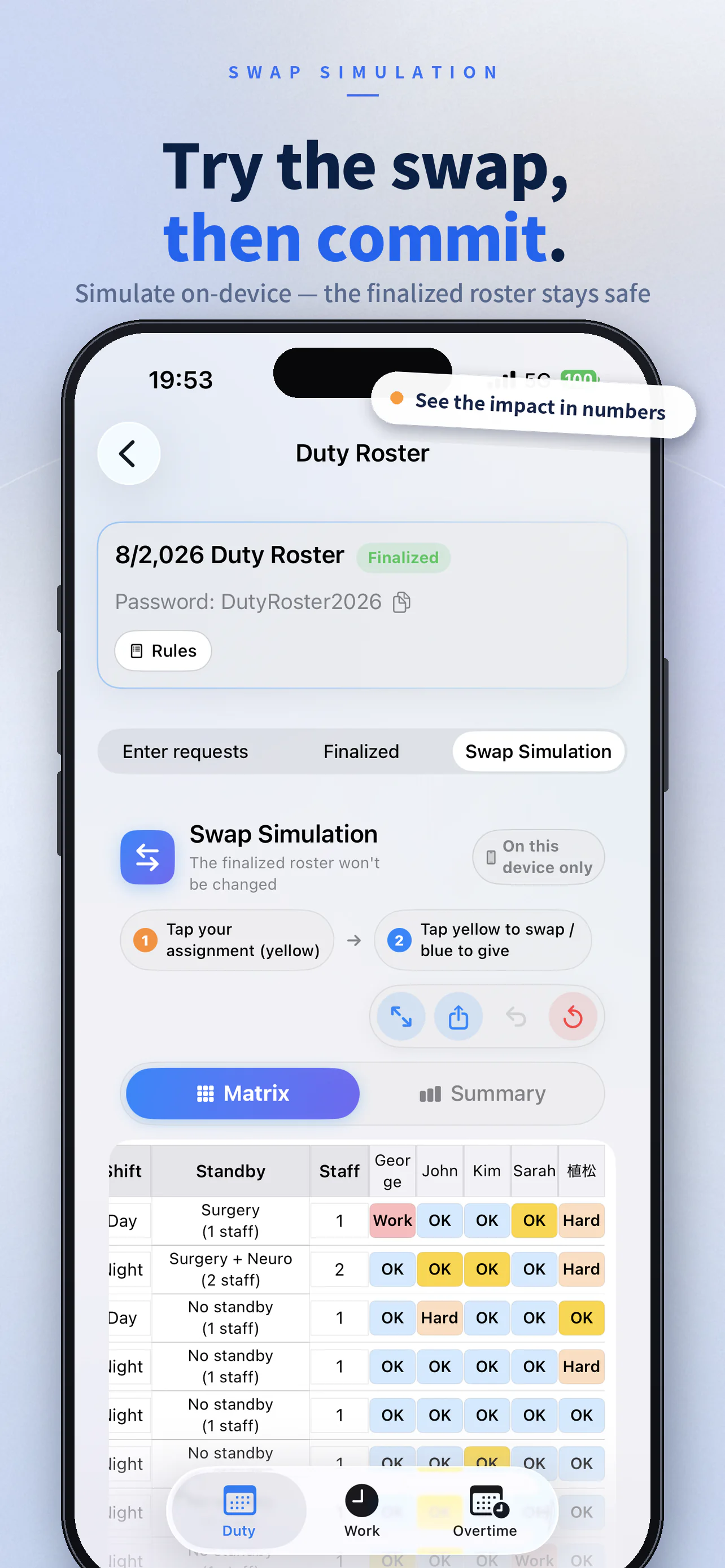
Try a swap without changing the published roster.
Tap an assignment and choose its replacement to preview the resulting changes in counts, points, and pay. Simulations stay on the device, so the roster shared with the team does not change. Every move is recorded, making it easy to undo one step, restart, and compare several options safely.
- Possible replacement slots are highlighted with dotted outlines
- Undo from the action history in one tap
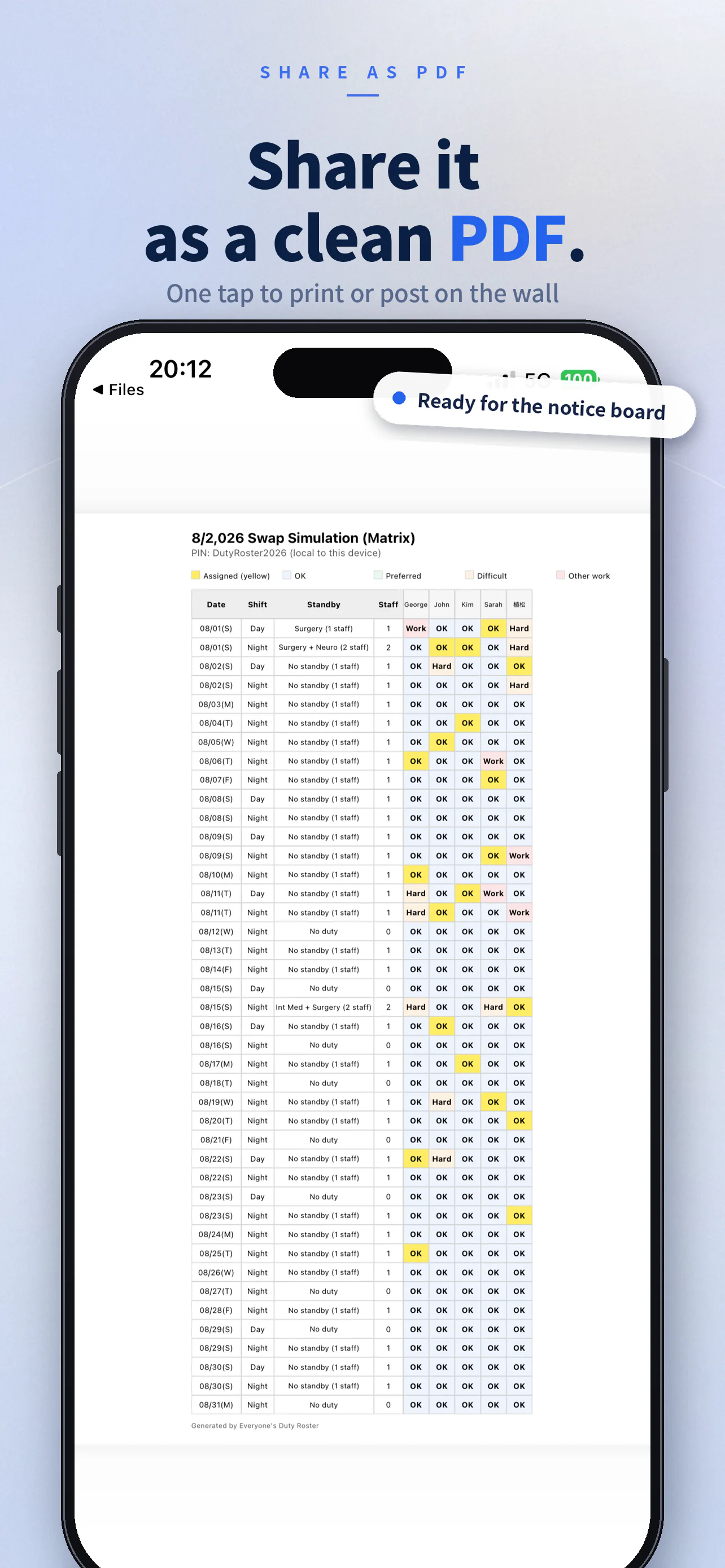
Share a clean PDF in one tap.
Export both the finalized roster matrix and the assignment and pay summary as distribution-ready PDFs. Print one for the department noticeboard or send it through your usual team chat. Members join with the PIN and receive roster updates in real time. The iPhone app supports Japanese, English, Simplified Chinese, and Spanish.
- Format a full month as a single, readable matrix
- Join by PIN and receive finalized roster updates automatically
Incompatible-pair rules
Specify two people who must not share a slot; the generator enforces the rule.
Specialty display
Tap a name in the matrix to see the specialty, or hide the column when it is not needed.
Count and interval rules
Set weekly limits, separate monthly day/night limits, and minimum intervals for each room.
Configurable pay rates
Set rates for weekdays, Fridays, weekends, pre-holiday shifts, and other categories.
Holiday-aware rates
Choose Japan, the United States, China, or Spain for each roster. The shared calendar can be corrected day by day for regional holidays and announced makeup workdays.
iOS and web sync
Use one account in the app or browser; availability updates in real time.
OnCall Generator assists with roster creation; it does not guarantee compliance with employment or labor laws.
Frequently asked questions
Is OnCall Generator free?›
Yes. Both the iPhone app and web version are available free of charge.
How is this different from building an on-call roster in Excel?›
Availability collection, automatic assignment, and sharing the finalized roster all happen in one place. You no longer need to copy and reconcile requests by hand, and assignment counts, points, and pay are totaled automatically. You can export the completed roster as a PDF, so a team can move gradually from a paper- or Excel-based process.
How does the generator keep assignments fair?›
It evaluates many candidate rosters in a fixed order: fill every required slot, minimize assignments marked Difficult, maximize Preferred assignments, keep day-call and night-call count gaps within target, then keep point and pay gaps within target. Everyone in the room can inspect the assignment, point, and pay totals.
Which pay rate is used for a public holiday?›
The following day determines the rate. If the shared calendar marks the next day as a day off, the configured Saturday day/night rates apply; if it marks a workday, the configured Sunday rates apply. Regional holidays and makeup workdays can be corrected day by day. The same calculation feeds total pay, pay-gap optimization, and recalculation of finalized rosters.
How do team members submit availability?›
Share the room PIN and each member can choose Available, Preferred, Difficult, or Other duty from the iPhone app or a browser. The organizer can enter requests by proxy for colleagues who do not use the app.
Can we try a swap after the roster is finalized?›
Yes. Swap Simulation lets you test alternatives only on your device, without changing the finalized roster shared with the team. You can export a proposed result as a PDF and share it with the other person.
What is the difference between the iPhone app and the web version?›
They use the same account and data, and both support the workflow from availability entry through finalization. Previous-day reminder notifications are available in the iPhone app.
Who can see room data?›
Data is shared only with members of the same room who know its PIN. Connections use TLS encryption, and Firebase App Check helps protect against unauthorized access.
Can teams outside hospitals or medical departments use it?›
Yes. Any workplace that organizes day call, night call, on-call coverage, or a similar rotating duty schedule can use it.
Ready to generate this month’s on-call roster?
Create a room, then share its PIN.